


This process of “tooling-up” started last year when I purchased a BlackMagic Design Intensity Pro


The Intensity Pro card has been very handy for a variety of things. Since computers these days are capable of screen resolutions that are also common to HDTVs I have used it to record the output of PC desktops. That has included screencast tutorials as well as the output of specific programs, like Adobe Audition.
I know that I could do the same sort of thing using software utilities. I’ve used things like Camtasia Studio


As I experiment with early implementations of the Opus codec in soft phones I have been making some use of Audio Tool for Android on my Nexus 7 and Nexus 4 devices. While a static screen shot can convey some good information there are some times when a video recording is more illuminating. I thought it would be good to be able to capture the output of one of my Nexus devices.


A bit more investigation revealed that my Nexus 4 supports a competitive standard known as SlimPort. SlimPort is derived from the DisplayPort standard. Sadly, the Nexus 7 supports neither connect method.
Since the MHL adapter was not going to be useful I ordered a SlimPort adapter


Connecting the Nexus 4 to a monitor via the SlimPort adapter and and HDMI cable the output of the phone is forced into landscape mode and scaled to 1080p60. Seeing the home screen of your cell phone on a 24” monitor is a little odd, but very interesting.
Pleased with the result on the monitor I then connected the HDMI output of the adapter to my Intensity Pro card. I launched the BlackMagic Media Express app to configure the card for the video format presented by the SlimPort adapter. Sadly, this was not possible.
The SlimPort adapter scales the video to 1080p at 60 frames/second. While 1080p is a common video standard it’s typically used at 24p, 25p, 50i or 60i. The BlackMagic card simply does not support 1080p60.
Cross-referencing the Black Magic web site for tech specs I find the following formats are supported:
1080i50, 1080i59.94, 1080i60, 1080p23.98, 1080p24, 1080p25, 1080p29.97, 1080p30, 720p50, 720p59.94 and 720p60.
If there was a way to control the output resolution of the SlimPort adapter I would set it to 720p60 and could readily record that via the Intensity Pro card. I’ve yet to find a way to do this.
Further, there is a relatively recent thread in the BMD support forum about this very topic. That thread suggests that the BMD hardware is 1080p60 capable, but it’s specifically disabled in the driver. If true that’s certainly disappointing.
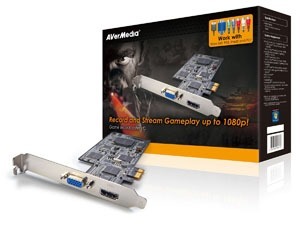


It’s interesting that this capture card targets gamers whereas the BMD product is typically sold into broadcast and post-production applications. There are not yet broadcast standards that support 1080p60. The lack of a transmission standard is the problem faced by broadcast industry. That said, any monitor or HDTV that supports 1080i is going to support 1080p as well.
This apparently simple desire, record the output of an Android device to a video stream, has turned into something of a challenge. I’m not yet certain that I’m prepared to shell out for yet another capture card.